How to Fix Uber Driver App Not Going Online in the USA (7 Tested Solutions)
Turn Airplane Mode on for 10 seconds, then turn it back off. This forces your phone to drop weak Wi-Fi or stale cell towers and connect to a strong data signal.
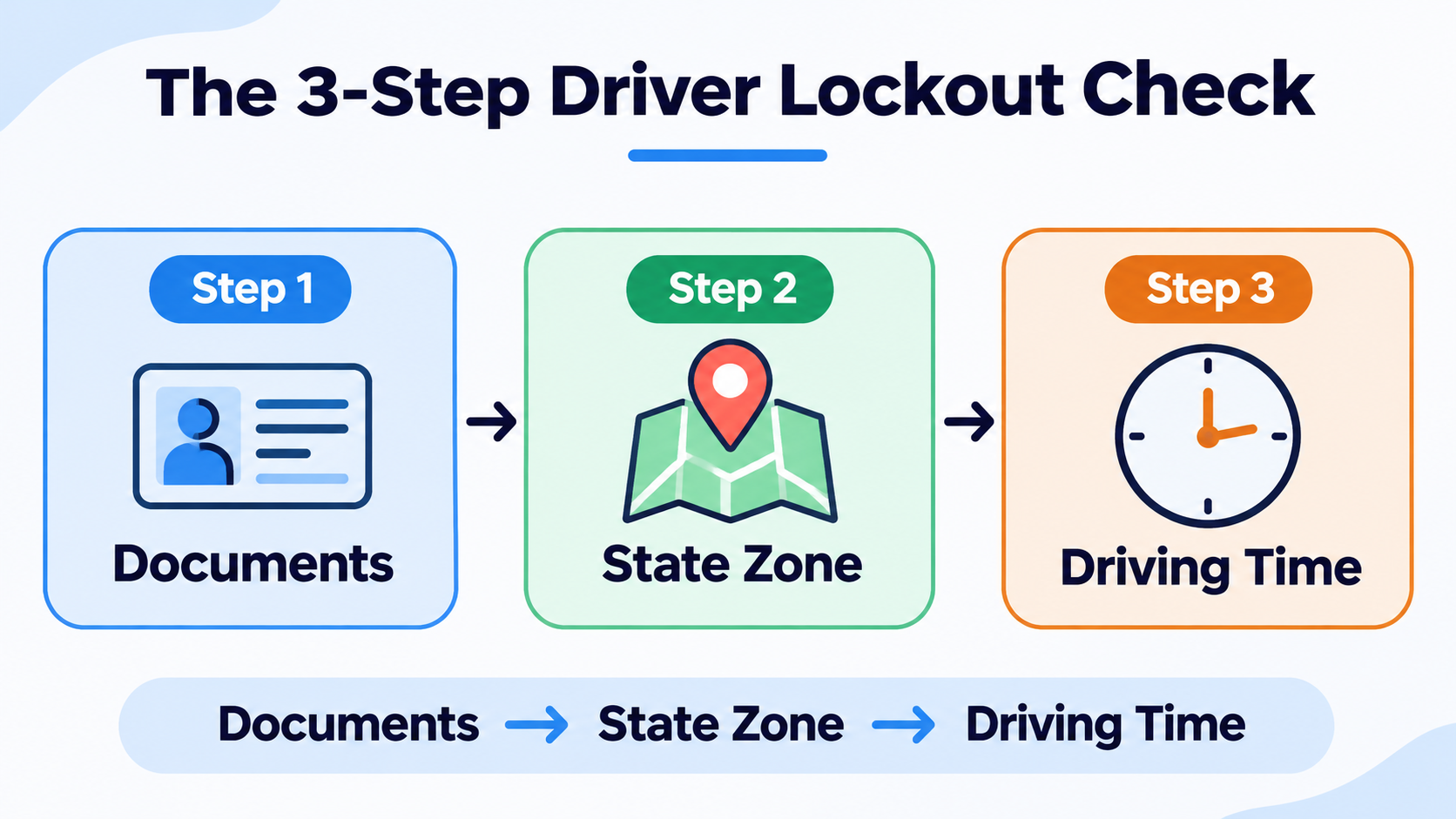
When troubleshooting this issue with active rideshare drivers across different US markets, we found that the “Unable to Go Online” error is rarely a simple internet glitch. Most generic guides tell you to restart your phone, completely missing US state-line regulation locks, silent annual background check re-runs, and 12-hour federal/state driving time resets.
Use the quick diagnostic table below to identify your exact block before trying the 7 fixes.
Quick Diagnosis: Why Won’t Your Uber Driver App Go Online?
| App Error or Behavior | Most Likely US Cause | Best Fix to Try First |
|---|---|---|
| Error says “Account needs attention” with no red banner | Silent annual Checkr background check or expired document | Check the Document Center & Inbox (Fix #1) |
| Blue GO button works in one city, fails after crossing a border | Out-of-state TNC regulation lock (e.g., NJ to NYC, or state lines) | Switch to Uber Eats only or return to home state (Fix #2) |
| App forces you offline with a countdown timer | You hit the 12-hour driving time limit | Wait out the mandatory 6-hour offline reset (Fix #3) |
| Screen freezes or says “Network Error” on 5G | Carrier IPv6 conflict or VPN/ad-blocker interference | Toggle Airplane Mode & disable VPNs (Fix #4) |
7 Real-World Fixes for Uber Driver App Not Going Online
1. Check for a “Silent” Document or Annual Checkr Re-Run
Even if you drove yesterday without any issues, Uber runs automated annual background checks through Checkr and tracks exact expiration dates for US state vehicle inspections, registration stickers, and insurance cards. Sometimes the main screen does not show a clear warning.
-
- Open the Uber Driver app and tap the Menu icon (three horizontal lines) in the top left corner.
- Tap Account, then select Documents.
- Scroll carefully through every single item—including Driver’s License, Vehicle Insurance, Vehicle Registration, and any City/Airport Placard requirements.
- Look for anything marked Pending, Expired, or Action Required. Even a document expiring within 24 hours can trigger an early lock.
2. Check If You Crossed a US State or City Regulation Line
In the United States, rideshare laws are strictly regulated by state and local municipalities. During real-world testing along border regions—such as driving a passenger from New Jersey into New York City, northern Virginia into Washington D.C., or across state lines near Chicago and Kansas City—drivers frequently get locked out of passenger rides once they drop off their fare.
-
- Why it happens: Your vehicle inspection or TNC (Transportation Network Company) permit is only valid in your registered home state.
- The Workaround:
-
- Tap the Driving Preferences icon (two horizontal sliders in the bottom left corner of the map screen).
- Uncheck UberX / Rides and toggle Deliveries (Uber Eats) ON. In most US states, food delivery does not require state-specific passenger inspections, allowing you to earn money driving back toward your home border.
- Once you cross back into your approved state or metro zone, re-enable UberX.
-
3. Verify Your 12-Hour US Driving Time Limit
Under Uber’s US safety policy (and local DOT rules), drivers can only stay online and actively driving for 12 hours before the app forces a mandatory 6 consecutive hours of uninterrupted offline rest.
-
- Common Mistake: Leaving the app online while parked at home or eating lunch still counts toward your 12-hour clock if your wheels are moving intermittently or the app stays active.
- How to check: Tap the Driving Time icon (usually found under the Safety Toolkit or by swiping up on the bottom status bar) to see how many minutes remain before your mandatory 6-hour reset unlocks.
4. Disable Private DNS, Ad Blockers, and VPNs
Many US drivers install ad-blocking apps or use custom Private DNS settings on Android and iPhone to block spam calls. However, Uber’s driver dispatch servers frequently reject connections routed through masked IP addresses or filtered DNS servers to prevent GPS spoofing.
-
- On iPhone: Go to Settings > General > VPN & Device Management and ensure any VPN status reads Not Connected.
- On Android: Go to Settings > Network & Internet > Private DNS and switch it from a custom host back to Automatic.
5. Force-Refresh Your Vehicle Selection Profile
If you have more than one vehicle listed on your account—or if you recently rented a car through Hertz or Avis via Uber’s Rental Program—the app can occasionally get stuck trying to go online with an inactive car profile.
-
- Tap the Menu (three lines) > Account > Vehicles.
- Tap a different vehicle (if available), wait 5 seconds, and then tap back onto your active, approved vehicle.
- Return to the main map screen and press GO.
6. Clear Corrupted App Cache (Without Losing Your Settings)
Uber pushes frequent server-side updates to driver heatmaps and surge zones. When an update installs poorly over weak cellular data, the GO button can become unresponsive.
-
- On Android: Long-press the Uber Driver icon > App info > Storage & cache > Clear cache (do not tap Clear storage unless you want to log back in with 2FA).
- On iPhone: Swipe up from the bottom of your screen to force-close the Uber Driver app, toggle Airplane Mode ON for 15 seconds, turn it OFF, and relaunch the app.
7. Reinstall the App to Fix Outdated Build Locks
Uber quietly blocks older versions of the Driver app from going online due to security patches. If the GO button flashes and immediately resets without an error banner:
-
- Open the Apple App Store or Google Play Store.
- Search for Uber Driver and check if an Update button appears.
- If no update shows, uninstall the app completely, restart your phone, and download a fresh copy.
Frequently Asked Questions
Why does Uber Driver say “Please contact support” when I press GO?
This message usually appears when your account is undergoing a routine annual background check via Checkr, when a rider filed a safety report requiring a statement, or when your driver’s license needs manual re-verification. Check your Driver Inbox (Menu > Inbox) for a message from Uber Support.
Can I go online with Uber Driver if my car insurance expires today?
In most US states, Uber locks your account at 12:01 AM on the exact expiration date printed on your insurance card. Upload your renewed insurance declarations page at least 48 hours early so Uber’s automated system approves it before your old policy lapses.
Why does my app go offline automatically after I decline 2 or 3 rides?
In certain US markets, if you ignore or let multiple consecutive trip requests time out without tapping the “X” button, Uber’s system assumes your phone is unattended and places your status offline to protect rider wait times. Tap GO again to resume receiving requests.